
The Technology Integration Matrix
The Technology Integration Matrix (TIM) provides a framework for describing and targeting the use of technology to enhance learning. The TIM incorporates five interdependent characteristics of meaningful learning environments: active, collaborative, constructive, authentic, and goal-directed. These characteristics are associated with five levels of technology integration: entry, adoption, adaptation, infusion, and transformation. Together, the five characteristics of meaningful learning environments and five levels of technology integration create a matrix of 25 cells, as illustrated below. All TIM descriptors apply equally well to online and face-to-face instruction, Developed by the Florida Center for Instructional Technology (FCIT) in 2005, the TIM is now in its third edition (2019).
ENTRY
Information passively received
ADOPTION
Conventional, procedural use of technology tools
ADAPTATION
Conventional independent use of tools; some student choice and exploration
INFUSION
Choice of tools and regular, self-directed use
TRANSFORMATION
Extensive and unconventional use of tools
ENTRY
Individual student use of technology tools
ADOPTION
Collaborative use of tools in conventional ways
ADAPTATION
Collaborative use of tools; some student choice and exploration
INFUSION
Choice of tools and regular use for collaboration
TRANSFORMATION
Collaboration with peers, outside experts, and others in ways that may not be possible without technology
ENTRY
Information delivered to students
ADOPTION
Guided, conventional use for building knowledge
ADAPTATION
Independent use for building knowledge; some student choice and exploration
INFUSION
Choice and regular use for building knowledge
TRANSFORMATION
Extensive and unconventional use of technology tools to build knowledge
ENTRY
Technology use unrelated to the world outside of the instructional setting
ADOPTION
Guided use in activities with some meaningful context
ADAPTATION
Independent use in activities connected to students' lives; some student choice and exploration
INFUSION
Choice of tools and regular use in meaningful activities
TRANSFORMATION
Innovative use for higher-order learning activities connected to the world beyond the instructional setting
ENTRY
Directions given; step-by-step task monitoring
ADOPTION
Conventional and procedural use of tools to plan or monitor
ADAPTATION
Purposeful use of tools to plan and monitor; some student choice and exploration
INFUSION
Flexible and seamless use of technology tools to plan and monitor
TRANSFORMATION
Extensive and higher-order use of tools to plan and monitor
ENTRY
Individual student use of technology tools
ADOPTION
Collaborative use of tools in conventional ways
ADAPTATION
Collaborative use of tools; some student choice and exploration
INFUSION
Choice of tools and regular use for collaboration
TRANSFORMATION
Collaboration with peers, outside experts, and others in ways that may not be possible without technology
ENTRY
Information delivered to students
ADOPTION
Guided, conventional use for building knowledge
ADAPTATION
Independent use for building knowledge; some student choice and exploration
INFUSION
Choice and regular use for building knowledge
TRANSFORMATION
Extensive and unconventional use of technology tools to build knowledge
ENTRY
Technology use unrelated to the world outside of the instructional setting
ADOPTION
Guided use in activities with some meaningful context
ADAPTATION
Independent use in activities connected to students' lives; some student choice and exploration
INFUSION
Choice of tools and regular use in meaningful activities
TRANSFORMATION
Innovative use for higher-order learning activities connected to the world beyond the instructional setting
ENTRY
Directions given; step-by-step task monitoring
ADOPTION
Conventional and procedural use of tools to plan or monitor
ADAPTATION
Purposeful use of tools to plan and monitor; some student choice and exploration
INFUSION
Flexible and seamless use of technology tools to plan and monitor
TRANSFORMATION
Extensive and higher-order use of tools to plan and monitor
The Technology Integration Matrix
The Technology Integration Matrix (TIM) provides a framework for describing and targeting the use of technology to enhance learning. The TIM incorporates five interdependent characteristics of meaningful learning environments: active, collaborative, constructive, authentic, and goal-directed. These characteristics are associated with five levels of technology integration: entry, adoption, adaptation, infusion, and transformation. Together, the five characteristics of meaningful learning environments and five levels of technology integration create a matrix of 25 cells, as illustrated below. Developed by the Florida Center for Instructional Technology (FCIT) in 2005, the TIM is now in its third edition (2019).
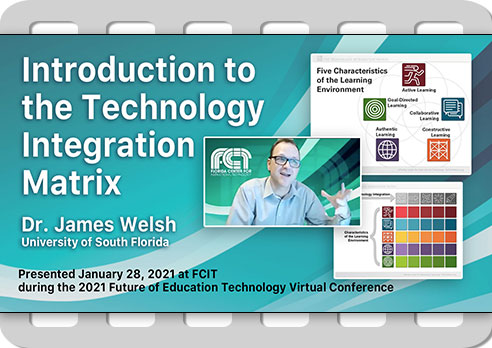
TIM Introduction
Dr. James Welsh gives a short history of the development of the TIM and then explains how the Matrix is constructed using the five characteristics of meaningful learning environments and the five levels of technology integration. He also discusses some of the underlying dimensions of the TIM. 14 min (View video)
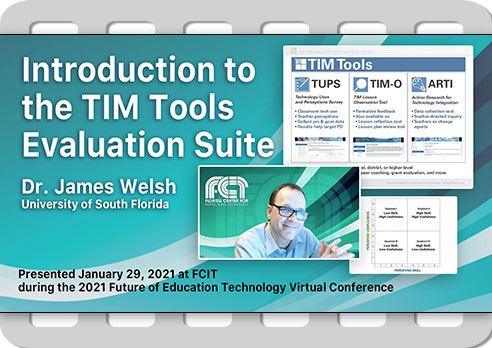
TIM Tools Introduction
TIM Tools is a suite of technology integration evaluation tools including a variety of different data collection instruments, both quantitative and qualitative, designed to inform decision-making and alignment of resources at the classroom, school, and district levels. 17 min (View video)
The Five Characteristics of Meaningful Learning Environments
The TIM is organized around five broad (and interconnected) areas of effective classroom practice. Each of the linked articles below focuses on one of the five characteristics.
Active Learning: Engaging Students’ Minds
The Active characteristic makes the distinction between lessons in which students passively receive information and lessons in which students discover, process, and... (More)

Collaborative Learning: Building Knowledge in Community
A successful collaborative learning environment doesn’t happen overnight. There’s a sense in which it’s both the hardest and the easiest... (More)

Constructive Learning: Making Connections
The Constructive characteristic describes instruction in which students to use technology tools to connect new information to their existing knowledge... (More)

Authentic Learning: Mirroring the Real World
Students are more likely to be interested in what they are learning, more motivated to learn new concepts and skills, and better prepared to succeed... (More)
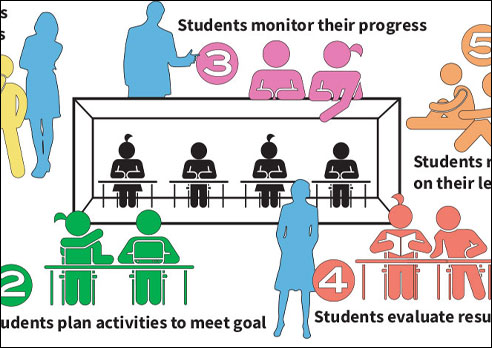
Goal-Directed Learning: Escape from the “Schoolwork Box”
When learners are actively and willfully trying to achieve a cognitive goal, they think and learn more because they are fulfilling an intention... (More)
Understanding TIM Levels
Explore some of the underlying concepts that determine levels of technology integration in the TIM.
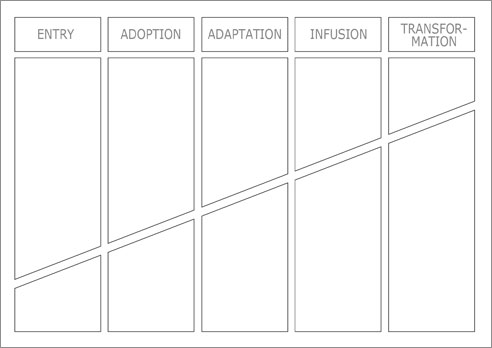
The Invisible Technology Integration Matrix
There are also some “invisible” dimensions to the TIM. The invisible dimensions underlie the movement from left to right... (More)

Tech Exploration in the Classroom
The emphasis on not only allowing, but also encouraging, exploration is no accident. In our busy schedules we... (More)

What do we mean by “independent access”?
The spirit of independent use is that a student can evaluate a situation and choose the hardware or software that the student thinks will be most... (More)
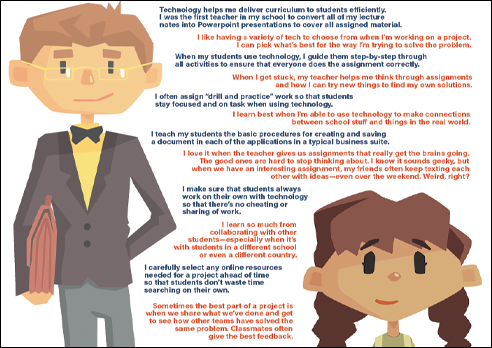
Ownership of Learning with Technology
One of the most important concepts behind the TIM is the ownership of learning. At lower levels of... (More)
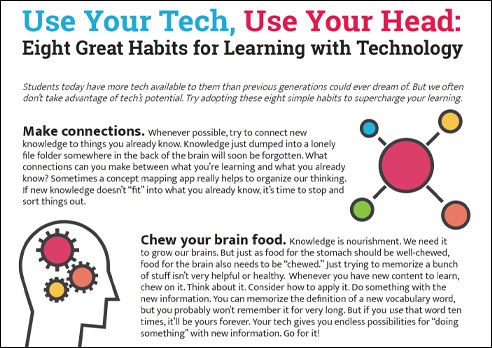
Eight Great Habits for Learning with Technology
Students who are self-directed, active learners and can leverage available technology for... (More)
Technology Integration Models
This series of articles explores the relationships between the TIM and other popular technology integration models.

ISTE Standards and the TIM
The first article in this series introduces the notion of the relationship between aspirational standards and implementation frameworks. (More)
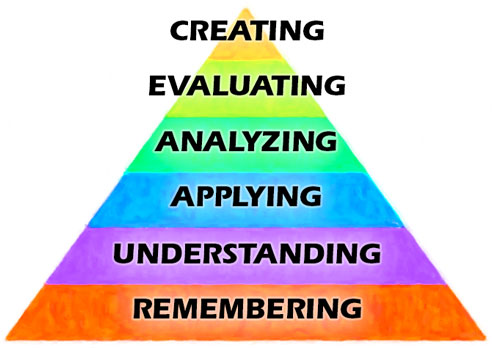
Bloom’s Cognitive Taxonomy and the TIM
Bloom’s Cognitive Taxonomy is familiar to nearly every educator and broadly corresponds to levels of technology integration as defined in the TIM. (More)
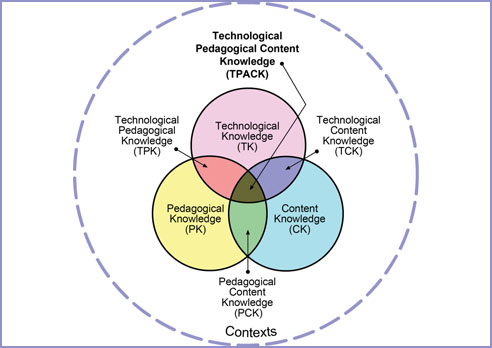
TPACK and the TIM
TPACK has its roots in work done in the 1980s by Lee Schulman who noted that is was not sufficient for teachers to know pedagogy and the content of their teaching area as two separate fields. (More)
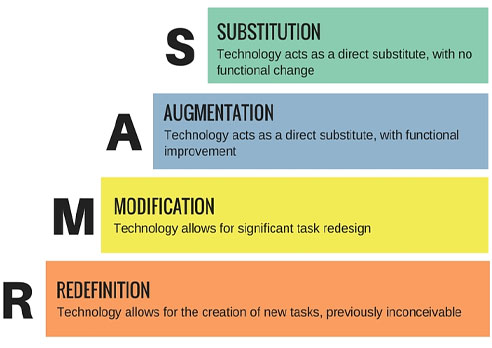
SAMR and the TIM
The SAMR (Substitution, Augmentation, Modification, and Redefinition) model is the one that has the least overlap with the TIM and other models in this series. (More)

Universal Design for Learning and the TIM
UDL and the TIM share many areas of overlap, particularly around the concept of student choice. (More)
Tools To Support Technology Integration
The University of South Florida has created a suite of five tools to support schools and districts in their efforts to increase the level of technology integration in the classroom.

TIM Lesson Observation Tool (TIM-O)
The TIM Observation Tool is designed to guide principals, teachers, and others through the process of evaluating the level of technology integration within a particular lesson. When completed, the tool produces a profile for the observed lesson in terms of the Technology Integration Matrix. (More)

Technology Uses and Perceptions Survey (TUPS)
TUPS data helps identify how well prepared teachers are to integrate technology in meaningful ways. It also helps identify the technology professional development topics that teachers want and need. (More)
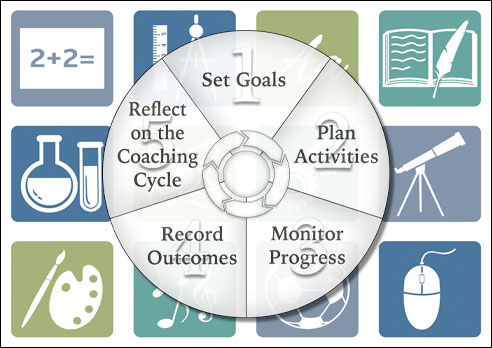
TIM Coaching Tool (TIM-C)
The TIM-C provides a means to record the goals, activities, progress, and outcomes of a coaching cycle. It provides a framework that can be used with most coaching or mentoring programs and is applicable to any subject area. (More)

Action Research for Technology Integration (ARTI)
The ARTI tool provides a framework for teachers to design and conduct their own action research projects. ARTI guides teachers through the five basic steps of an action research project including: identification of a question, description of the context, data collection, analysis, and the creation of findings. (More)
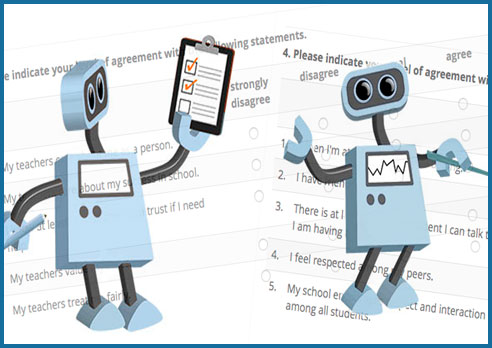
Survey Tool
The Survey Tool was added to the TIM Tools suite in response to client requests for a quick method of creating forms, surveys, and reports within a school or district’s TIM Tools instance. Create surveys to share with teachers, administrators, observers, or the general public. Build surveys from scratch or start with a survey from the survey library. (More)
For more articles like those above, visit our Teaching and Learning with Technology blog.
Each month FCIT publishes a newsletter with short articles on teaching and learning with technology, using digital content in the classroom, and professional development for technology integration. Subscribe today!